
First, what is Acronis?
Acronis is a cyber protection company. Its platform covers backup, disaster recovery, endpoint detection and response, and security for service providers, businesses and home users of Acronis True Image.
Its URL filtering checks links against a cloud reputation database that Acronis calls Cloud Brain. It adds analysis of the link and the page structure, and it blocks phishing and malware sites. VirusTotal lists Acronis as a scanning engine, so its verdict on your site shows in every VirusTotal scan.
Who can't reach you right now
Where it's used, and who shares it
These engines are independent from Acronis. If they flag you too, each one needs its own request:
 Google Safe Browsing →
 Kaspersky →
 ESET →
 Bitdefender →
How to tell if you're flagged
 VirusTotal. Scan the URL and look for the Acronis row. It shows the verdict Acronis holds for your site, and the same scan shows whether other engines flag you too.
- Acronis has no public URL lookup tool on the pages we opened. Ask an affected customer for a screenshot of the block message.
- User reports. Ask affected users for a screenshot of the warning and the address they tried to open.
Asking Acronis to fix it
Find the Acronis row on VirusTotal
Open virustotal.com, choose the URL tab and paste the full address of the flagged page. Look for the Acronis row and note its verdict. Copy the link of the report from your browser, because the email needs it. No account is needed.
Check that it is a mistake
Acronis filters for phishing, malware distribution and fake shops. Check your pages for injected scripts, hidden redirects and copied login forms, and fix what you find. Write to Acronis only when the site is clean.
Send the email
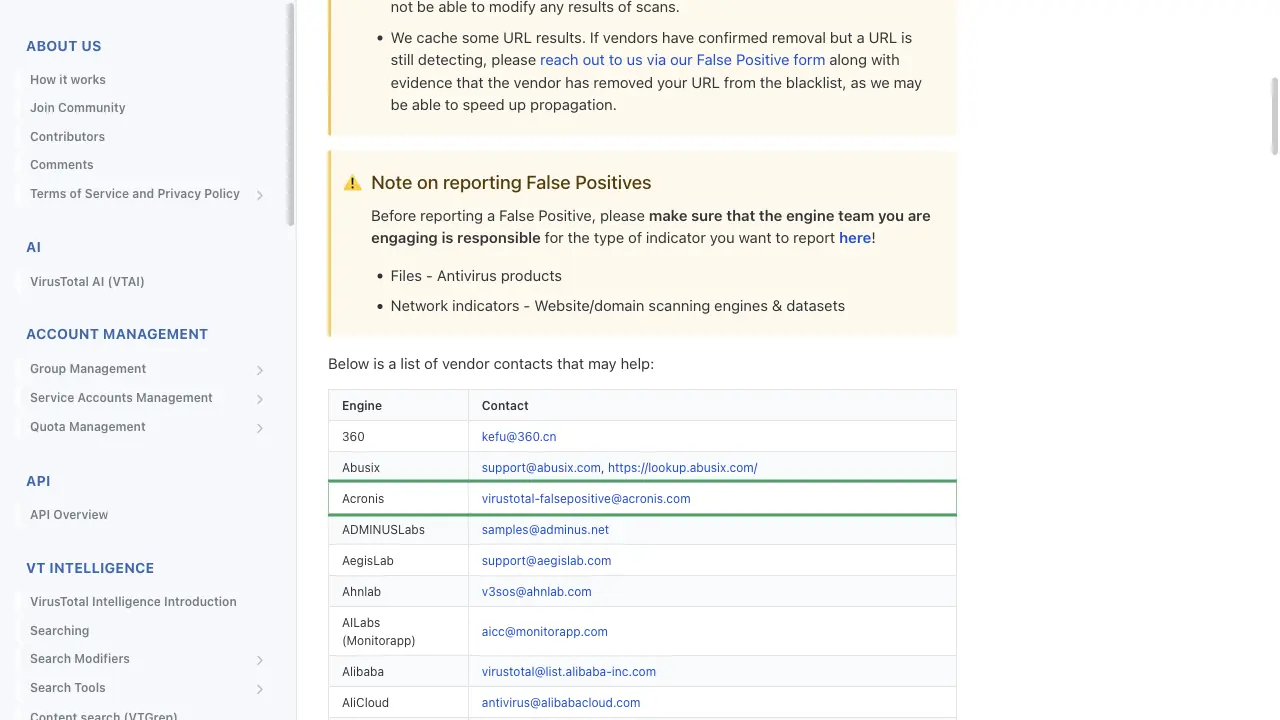
The address comes from VirusTotal's list of vendor contacts at docs.virustotal.com/docs/false-positive-contacts, and Acronis article 62189 (Acronis scanner on VirusTotal.com) gives the same address for this case. The article asks for the link to the VirusTotal report and a detailed description of why you think the detection is wrong. Write to [email protected]. You need no account, and any email address works, so a company address is not required. Put the full URL, the VirusTotal report link, the name of the site owner and a sentence about what the site does in the body.
To:      virustotal-falsepositive[at]acronis[.]com
Subject: False positive: hxxps://example[.]com flagged as phishing by Acronis

Hello,

The website hxxps://example[.]com is flagged as phishing by Acronis on VirusTotal.
VirusTotal report: hxxps://www[.]virustotal[.]com/gui/url/<id>

The site belongs to Example Ltd, and we own the domain. It is the booking
site of our dental clinic. The only form is the appointment request at
hxxps://example[.]com/book, and it sends data to our own server. The site
offers nothing to download.

Please review the verdict and remove the detection.

Thank you,
Name
Wait, then reanalyse
Acronis writes that it fixes incorrect detections as soon as possible during standard business hours and that it gives no SLA for these requests. After a while, open your VirusTotal report and click Reanalyze. The Acronis row shows the verdict it holds now. If nothing changes, write again in the same email thread.
Other ways to report
Acronis explains its own rules for false positives on these pages: