
First, what is AlphaSOC?
AlphaSOC is a security data and threat-hunting platform. It normalizes logs, adds threat intelligence to the events and runs managed and Sigma detections on them.
VirusTotal lists AlphaSOC as a URL scanner. If AlphaSOC rates your domain as malicious, you see that on its VirusTotal row, and its customers can see it in their own detections.
Who can't reach you right now
Where it's used, and who shares it
These engines are independent from AlphaSOC. If they flag you too, each one needs its own request:
 Google Safe Browsing →
 Kaspersky →
 ESET →
 Bitdefender →
How to tell if you're flagged
 VirusTotal. Scan your URL and find the AlphaSOC row. AlphaSOC has no public lookup tool, because the domain lookup sits inside its console and the console needs a login.
- User reports. Ask the people who cannot reach your site which warning they see and where they saw it.
Asking AlphaSOC to fix it
Find the AlphaSOC row on VirusTotal
Open VirusTotal, scan your full URL and find the AlphaSOC row in the list of vendors. Write down the result it shows and copy the address of the report page, because you will paste it into your message.
Check that it is a mistake
Scan your server and your third-party scripts for injected code, and check for hacked pages and hidden redirects. Fix anything you find before you ask for a review.
Send the review request
Open the official form at alphasoc.com/contact, titled Get in touch. The form has these fields in this order: Full name, Work email, Company, How can we help? and Message, then the button Send message. In How can we help?, choose Threat indicator review. The other options are Sales / general enquiry and Technical support. You need no account. The email field is labelled Work email and the form has a Company field. We could not verify whether a personal address is accepted. In the Message, give the domain, the VirusTotal report address and why the domain is safe. For a website there is no file to send. Say what the site is, who owns it and what each form on the page collects.
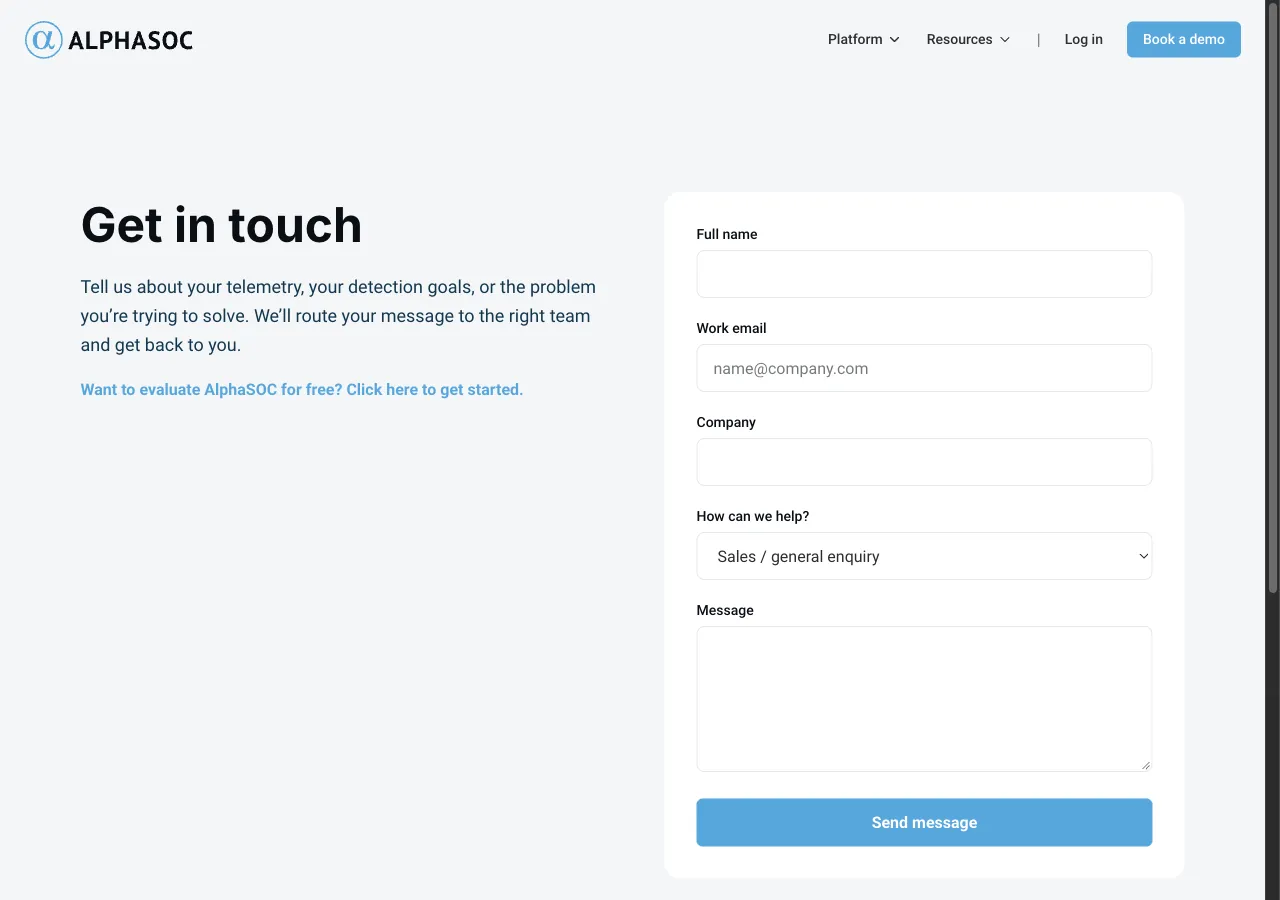
Website flagged as malicious

Full name:           Alex Example
Work email:          name[at]example[.]com
Company:             Example Ltd
How can we help?:    Threat indicator review
Message:             hxxps://example[.]com is the website of our company,
                     Example Ltd. AlphaSOC flags it on VirusTotal:
                     hxxps://www[.]virustotal[.]com/gui/url/<report-id>
                     We own the domain and run the site ourselves. The
                     only form is the customer login at
                     hxxps://example[.]com/login, and it sends data to
                     our own server. The site offers nothing to
                     download. Please review the verdict.
Wait and check the result
AlphaSOC states no turnaround on the pages we read. When some time has passed, open VirusTotal, use Reanalyze on your URL and look at the AlphaSOC row again. The AlphaSOC documentation at docs.alphasoc.com names [email protected] as its support address, which you can write to if the contact form gets no answer.
Other ways to report
AlphaSOC explains its own rules for false positives on these pages:
VirusTotal's list of vendor contacts gives this address for false positive reports to AlphaSOC. Use it when the route above does not work for you. Put the full URL and the link to your VirusTotal report in the message. A personal email address is fine.
[email protected]