First, what is CRDF Threat Center?
CRDF Threat Center is the public threat intelligence platform of CRDF Labs. It holds data on malicious URLs and domains, WHOIS and newly registered domains, and a confirmed CRDF blocklist. A separate assessment, CRDF AI V14, scores each indicator.
Site owners meet it when CRDF lists their domain or URL as malicious. The Threat Center shows the blocklist result and the AI verdict apart from each other, and a listing stays active until CRDF Labs reviews it and finds that the evidence no longer supports it.
Who can't reach you right now
Where it's used, and who shares it
These engines are independent from CRDF. If they flag you too, each one needs its own request:
 Google Safe Browsing →
 Kaspersky →
 ESET →
 Bitdefender →
How to tell if you're flagged
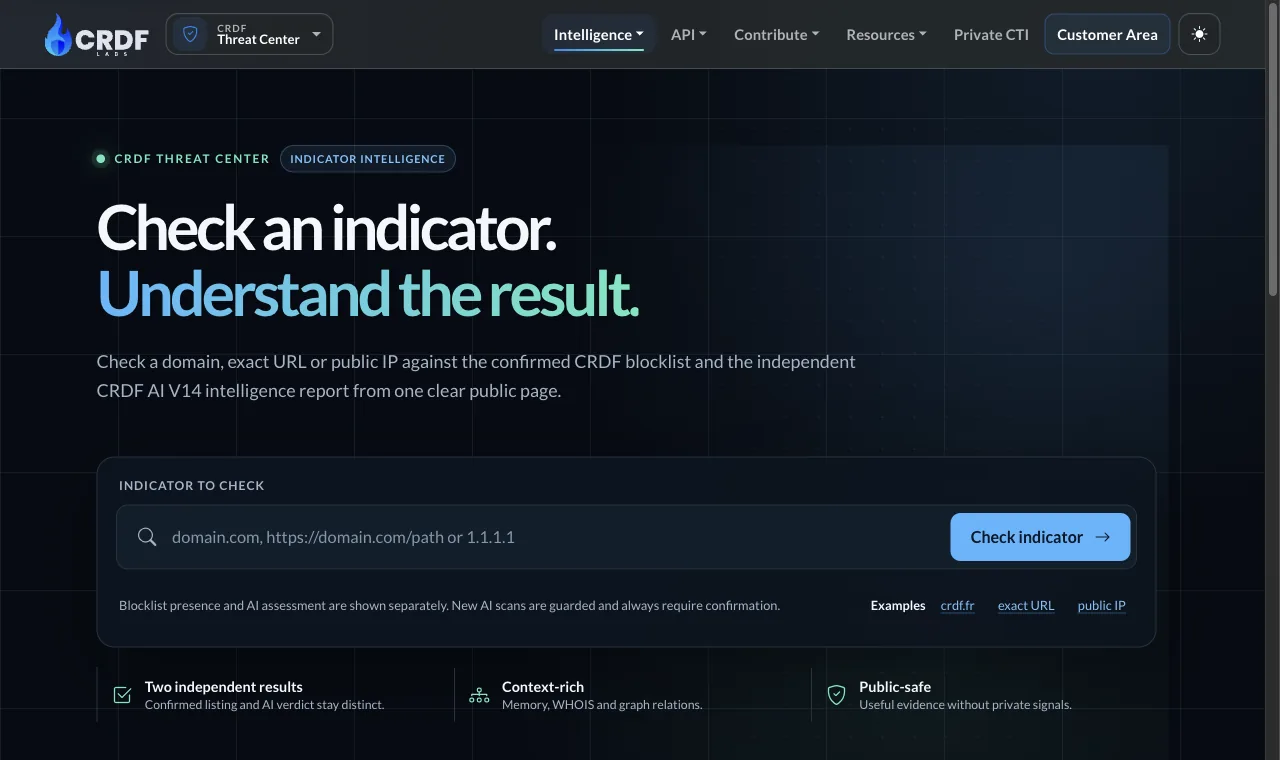
 CRDF Threat Center indicator check (threatcenter.crdf.fr/check.php). Enter a domain, an exact URL or a public IP. The page shows the confirmed CRDF blocklist result and the CRDF AI V14 verdict as two separate answers.
 VirusTotal. Scan your URL and check whether other engines flag it too. A listing at CRDF does not mean the others agree.
- User reports. Ask affected users for a screenshot of the warning or block page, with the address of the page they tried to open.
Asking CRDF to fix it
Look up your URL
Open the CRDF indicator check, type your domain or the exact URL into the Indicator to check field and click Check indicator. The result has two parts. The Independent blocklist result tells you whether CRDF lists the indicator. The CRDF AI V14 public intelligence section shows the current public verdict and a risk score, with tabs for Overview, Evidence, Infrastructure and History. Reading an existing report needs no captcha and no login. Copy the exact indicator that is listed, because the review request needs it.
Check that it is a mistake
CRDF lists three checks on its review page. First, confirm that the exact URL or domain is currently listed. Second, remove suspicious content and record what changed and when: affected URLs, remediation dates, current HTTP responses and relevant ownership or hosting information. Third, submit once and follow the thread. Scan your server for injected files and check your pages for hidden links or redirects before you go on. CRDF removes or updates a classification when the available information no longer supports the active finding.
Send the review request
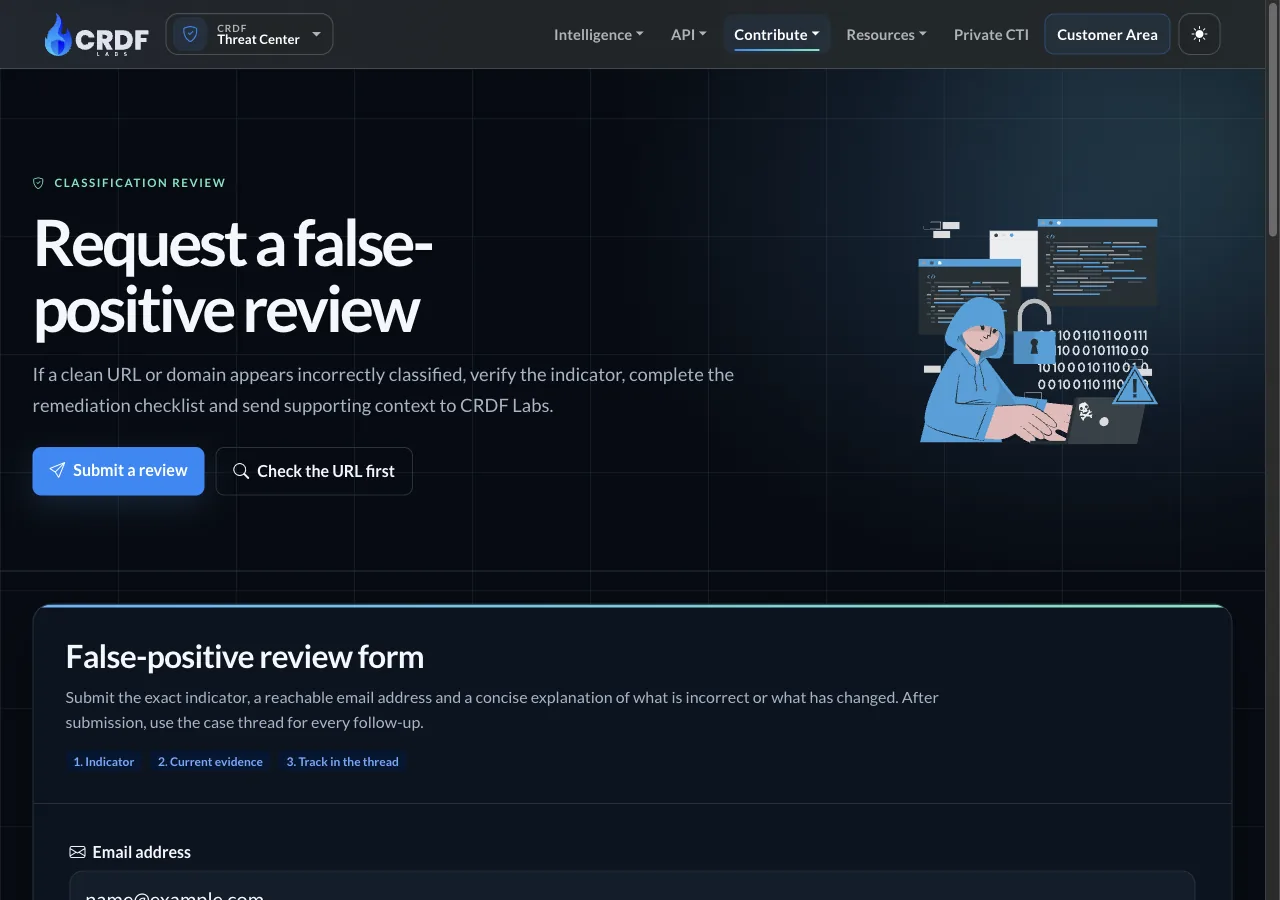
Open the official page at threatcenter.crdf.fr/false_positive.html. You need no account and no sign-in. The form has these fields, in this order: Email address, where CRDF sends updates about your request; a checkbox, Submit multiple URLs; Domain Name or Website URL, which takes an HTTP or HTTPS URL; Reason for Your Request, which is required and holds up to 1000 characters; a checkbox where you confirm that the information is accurate, that you are authorised to request the review and that you accept the Terms of Service; and Confirm you are human. Click Send Message. The form asks for no company name and no company email address, so a personal address is fine. Use an address you can read, because CRDF writes to it. In the reason, say what is incorrect or what changed and give dates and affected URLs. For several URLs, tick Submit multiple URLs and enter one URL per line, up to 5. An active request for the same indicator is not duplicated, so keep the tracking link you receive and add new information in its thread.
Website flagged as phishing or in a wrong category

Email address:                  name[at]example[.]com
Submit multiple URLs:           (unchecked)
Domain Name or Website URL:     hxxps://example[.]com/page
Reason for Your Request:        hxxps://example[.]com is the website of our
                                company, Example Ltd. CRDF lists it as
                                phishing. We own the domain and run the
                                site ourselves. On 2026-11-10 we found and
                                removed an injected file at
                                hxxps://example[.]com/page. The page now
                                returns HTTP 200 and holds only our own
                                content. Please review the classification.
I confirm the information is     (checked)
accurate and I am authorised:
Confirm you are human:           (checked)
Button:                          Send Message
Wait and check the result
CRDF says: "Most requests receive an initial assessment within 24 to 48 hours." CRDF sends updates to the email address you entered. When CRDF answers, run the indicator check again with the same URL and compare the blocklist result with the first one. Add any new information to the thread of your request.
Other ways to report
CRDF explains its own rules for false positives on these pages: