First, what is DNS4EU?
DNS4EU is a free public DNS resolver run in the European Union. People and organisations set it as their DNS server, and it tells their devices which address belongs to each domain they visit. It blocks malware, phishing and command-and-control domains at the point of resolution. Whalebone s.r.o. in Brno, Czech Republic, powers the service, and the EU co-funded it.
DNS4EU blocks a whole domain. It does not scan your pages or your files. The service also has versions for governments, public institutions and companies, and the public resolver has five variants that add child protection or ad blocking, or turn filtering off.
Who can't reach you right now
Where it's used, and who shares it
These engines are independent from DNS4EU. If they flag you too, each one needs its own request:
 Google Safe Browsing →
 Kaspersky →
 ESET →
 Bitdefender →
How to tell if you're flagged
 DNS4EU has no public lookup tool on the pages we read. Compare the answers of two resolvers instead: query your domain against the DNS4EU resolver at 86.54.11.1, then against another resolver, and see whether only DNS4EU fails to resolve it.
 VirusTotal. Scan the domain and look at which engines flag it. It shows whether other vendors list your domain too.
- User reports. Ask an affected visitor which DNS server their device, router or network uses. If it is DNS4EU, the visitor can switch to another resolver and open your site again.
- The court-order list. DNS4EU publishes every court-ordered block at joindns4.eu/legal-information-and-compliance. Check that your domain is not on it.
Asking DNS4EU to fix it
Confirm that DNS4EU blocks your domain
DNS4EU has no public lookup tool, so the proof comes from a comparison. Ask an affected visitor which DNS server they use. The public DNS4EU resolver has the addresses 86.54.11.1 and 86.54.11.201 for IPv4 and 2a13:1001::86:54:11:1 and 2a13:1001::86:54:11:201 for IPv6. Query your domain against 86.54.11.1, then against another resolver. If the other resolver returns an address and DNS4EU does not, DNS4EU blocks your domain. Then open the court-order list at joindns4.eu/legal-information-and-compliance. DNS4EU says that court-ordered blocking is not a false positive. Those blocks apply on every variant, including Unfiltered, and the report form does not clear them.
Check that it is a mistake
DNS4EU blocks malware, phishing and command-and-control domains. Look at your own site for injected code and unknown redirects, and clean them first. Scan the domain on VirusTotal to see which engines list it. If the site was hacked and is now clean, say so in your request. If the site was never compromised, say that and describe what it is.
Send the review request
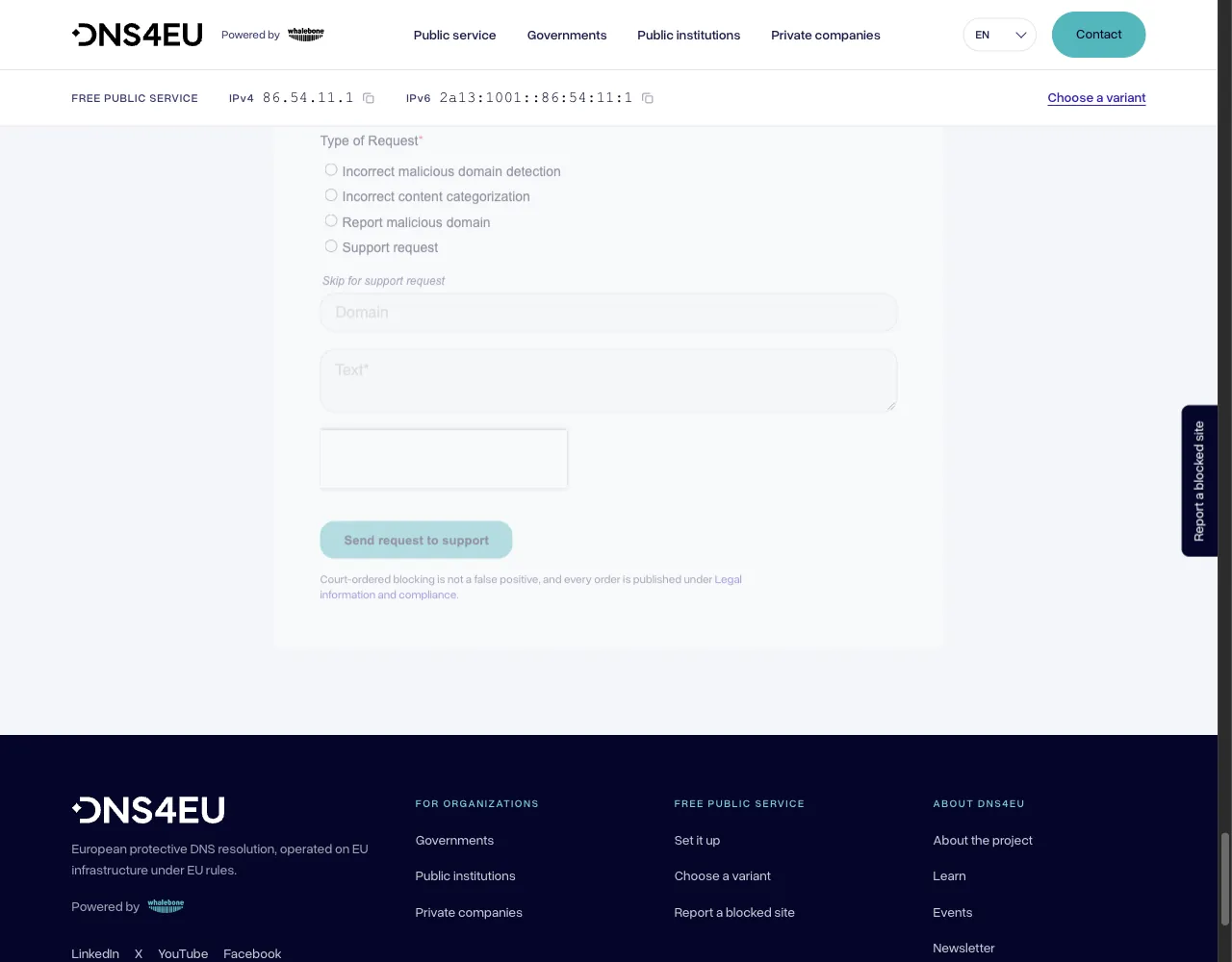
Open the form at joindns4.eu/for-public#report-a-site. Under the heading "Blocked something that should not be blocked?" DNS4EU says: "Tell us the address and we will look at it." You need no account. The form has these fields, in this order: Email, Type of Request, Reported domain, Message. Email and Message are required, and Reported domain is optional. The Email field shows the placeholder "Your email" and does not ask for a company address, so a personal email is fine. Under Type of Request, choose "Incorrect malicious domain detection" if DNS4EU treats your site as a threat, or "Incorrect content categorization" if one of the child protection or ad blocking filters blocks it. In Message, give the domain, say what the site is and say that you own it. Then click "Send request to support". The contact page lists [email protected] for all other inquiries.
Domain blocked by mistake

Email:             name[at]example[.]com
Type of Request:   Incorrect malicious domain detection
Reported domain:   example[.]com
Message:           The domain example[.]com is blocked by DNS4EU.
                   It is the website of our company, Example Ltd.
                   We own the domain and run the site ourselves.
                   The resolver 86.54.11.1 does not resolve it and
                   another resolver does. The site has no downloads
                   and no hidden pages. Please review the domain.

Domain in the wrong category

Email:             name[at]example[.]com
Type of Request:   Incorrect content categorization
Reported domain:   example[.]com
Message:           The domain example[.]com is the website of our
                   company, Example Ltd. It is blocked on the
                   resolver variant with ad blocking. The site
                   shows no ads and runs no trackers. Please
                   review the category of the domain.
Wait and check the result
DNS4EU states no turnaround time. Repeat the comparison from step 1 every day or two. When the DNS4EU resolver returns an address for your domain, ask an affected visitor to reload your site. If their device still fails, the previous resolver or a cache can still hold the old answer.
Other ways to report
DNS4EU explains its own rules for false positives on these pages: