First, what is Fortinet FortiGuard?
FortiGuard Labs, the research team of Fortinet, runs the FortiGuard Web Filter. It is a database that gives every website and IP address a category, such as Shopping, News and Media, Phishing or Malicious Websites. Its lookup tool shows the category of a site and its history.
Networks use these categories to allow or block websites. When FortiGuard puts your site in a wrong category, visitors on those networks see a block page instead of your pages until FortiGuard changes the rating.
Who can't reach you right now
Where it's used, and who shares it
These engines are independent from FortiGuard. If they flag you too, each one needs its own request:
 Google Safe Browsing →
 Kaspersky →
 ESET →
 Bitdefender →
How to tell if you're flagged
 FortiGuard Web Filter lookup (fortiguard.com/webfilter). Enter your URL or IP address in the search box. Fortinet says the result shows the category of the site and its history. The page returned "Access denied" in our browser on 2026-11-11, so we could not see a sample result. If it does the same for you, skip to the rating request form in step 3.
 VirusTotal. Scan the URL to see whether other engines flag it too.
- User reports. Ask affected users for a screenshot of the block page they see and send it with your request.
Asking Fortinet to fix it
Look up your URL
Open the FortiGuard Web Filter lookup, enter your URL or IP address and read the category it shows. Write the category down, because the request is about that rating. The lookup page showed "Access denied" when we opened it, and the rating request form in step 3 can be opened directly without the lookup.
Check that it is a mistake
Scan your server and your scripts for injected code, and rebuild files from clean source. Then decide which category fits your site. The form requires you to pick one, so choose the category you believe is correct, for example Business or Shopping, not the one FortiGuard shows now.
Send the rating request
Open the official form at fortiguard.com/faq/wfratingsubmit, titled "Web Filter Classification Rating Request". You need no account and no sign-in. The form has these fields, in this order. URL (required): "Enter a url or full link to be re-classified". Suggest a category (required): a list from Abortion to Web-based Email, with the prompt "Choose a category that would be a better rating for the site". Attach a screenshot image file (optional, maximum 2M bytes). Name (required). Email (required): the form asks for "a contact email address" and does not call it a company email, so a personal address fits. Company Name (required): the form asks for a company name, so enter your company or your site name. Comment (optional): the form gives no guidance, so say what the site is, who owns it and why the category is wrong. Tick the "I'm not a robot" checkbox and click Submit. A phishing flag on a website has no file or hash to send.
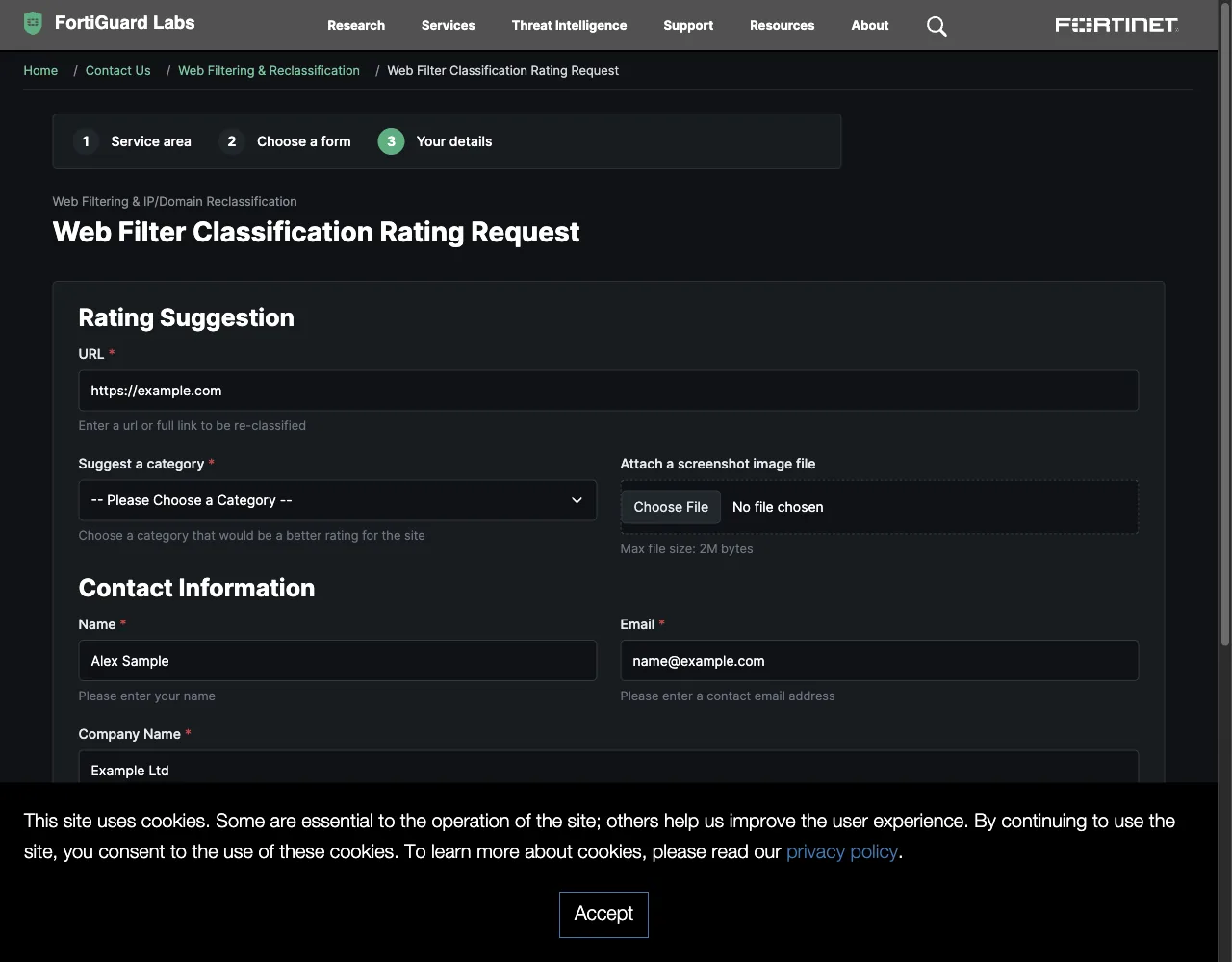
Website flagged as Phishing, rated in the wrong category

URL:                  hxxps://example[.]com
Suggest a category:   Business
Screenshot:           block-page.png (optional)
Name:                 Alex Example
Email:                name[at]example[.]com
Company Name:         Example Ltd
Comment:              hxxps://example[.]com is the website of our company,
                      Example Ltd. FortiGuard rates it as Phishing. We own
                      the domain and run the site ourselves. The only form
                      is the customer login, and it sends data to our own
                      server. The site has no downloads. Please review the
                      rating.
I'm not a robot:      ticked
Wait and check the result
The FortiGuard lookup page says reviews are "generally processed and updated within 24 hours". After that, enter your URL in the lookup again and read the category. Ask affected users to try your site again. An admin who set a local rating override on the firewall keeps the override until the admin removes it.
Other ways to report
Fortinet explains its own rules for false positives on these pages: