
First, what is G DATA?
G DATA CyberDefense makes antivirus products. Its help page takes reports on suspicious URLs, files and apps.
G DATA runs the Bitdefender engine, and it also has an engine of its own. On VirusTotal the verdicts appear in the GData row and the BitDefender row. G DATA takes reports on its own help page, both for URLs and for files that it detects by mistake.
Who can't reach you right now
Where it's used, and who shares it
AV-Comparatives lists G DATA with Bitdefender as a third-party engine. A flag from the Bitdefender engine can therefore reach G DATA users, and a request to Bitdefender is a second place to ask. See the Bitdefender guide.
These engines are independent from G DATA. If they flag you too, each one needs its own request:
 Kaspersky →
 ESET →
 Avast / AVG →
 Google Safe Browsing →
How to tell if you're flagged
 VirusTotal. Scan the URL and find the GData row and the BitDefender row. The same scan shows whether other engines flag you too.
- The G DATA warning. Ask an affected user for a screenshot of the warning in the G DATA product. It shows which page or file the product blocked.
- The full URL. Copy the exact address of the blocked page, with the path, because you submit that URL for review.
Asking G DATA to fix it
Find the block
Scan your URL on VirusTotal and note the verdict in the GData row and in the BitDefender row. Keep the text of the G DATA warning if a user sent a screenshot. Write down the full URL of the blocked page. We found no public G DATA lookup tool for URLs.
Check that it is a mistake
Scan your server and your third-party scripts for injected code. For files, rebuild from clean source and check your dependencies. Fix anything you find first.
Submit the URL to G DATA
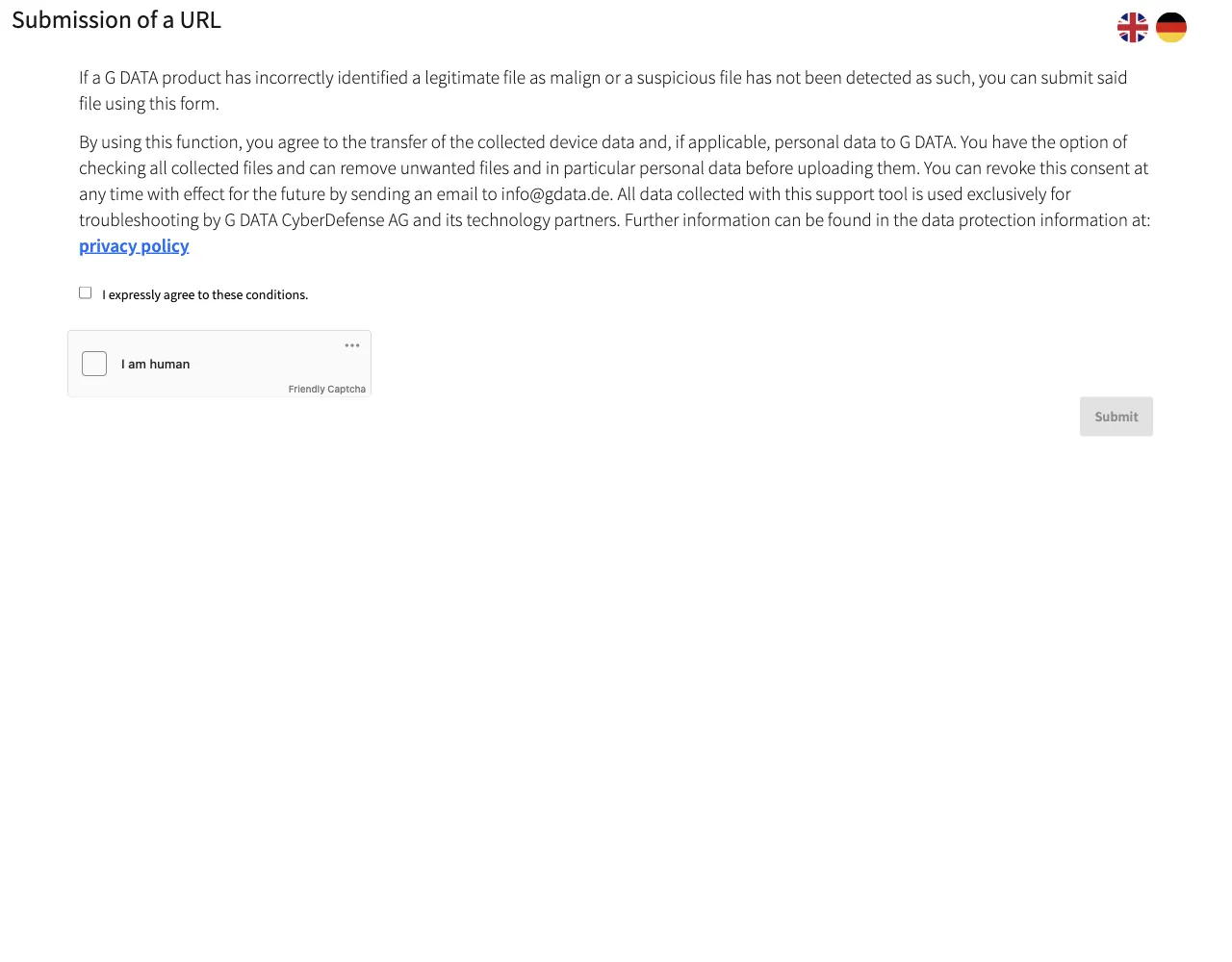
Open the G DATA help page Submit a file, app, or URL for review. It says you can submit suspicious URLs, files or apps, or items that G DATA has detected incorrectly. Click the Submit a URL link. The page Submission of a URL opens and asks you to tick the checkbox "I expressly agree to these conditions." Then tick the "I am human" captcha and click Submit. This first page needs no sign-in. We did not pass the captcha, so we do not list the fields of the form that follows or say whether it asks for an email address or a company email. If the form that follows has a free-text field, say what the site is, who owns it and why the URL is safe.
Website flagged by G DATA

hxxps://example[.]com/shop is the page of our online shop,
run by Example Ltd. A G DATA product blocks it. We own the
domain and run the site ourselves. The only form is the
customer login at hxxps://example[.]com/login, and it sends
data to our own server. The site has nothing to download.
Please review the URL.
Report a file
If a G DATA product flags a file of yours, use the Submit a file link on the same help page. G DATA says the form is for a legitimate file that its product identified as harmful.
Wait and check the result
G DATA states no time for a review. After a few days scan the URL on VirusTotal again and check the GData row and the BitDefender row. Ask an affected user to open the page in the G DATA product once more.