First, what is Spamhaus?
Spamhaus keeps blocklists of domains and IP addresses. The one a website owner meets is the Domain Blocklist (DBL), a list of domains with a poor reputation. The DBL lists domains only, never IP addresses, and most listings are automatic.
Mail servers, spam filters and security products read these lists. If your domain is on the DBL, the systems that query it treat mail and links from your domain as bad, and the listing covers all subdomains.
Who can't reach you right now
Where it's used, and who shares it
These engines are independent from Spamhaus. If they flag you too, each one needs its own request:
 Google Safe Browsing →
 Kaspersky →
 ESET →
 Bitdefender →
How to tell if you're flagged
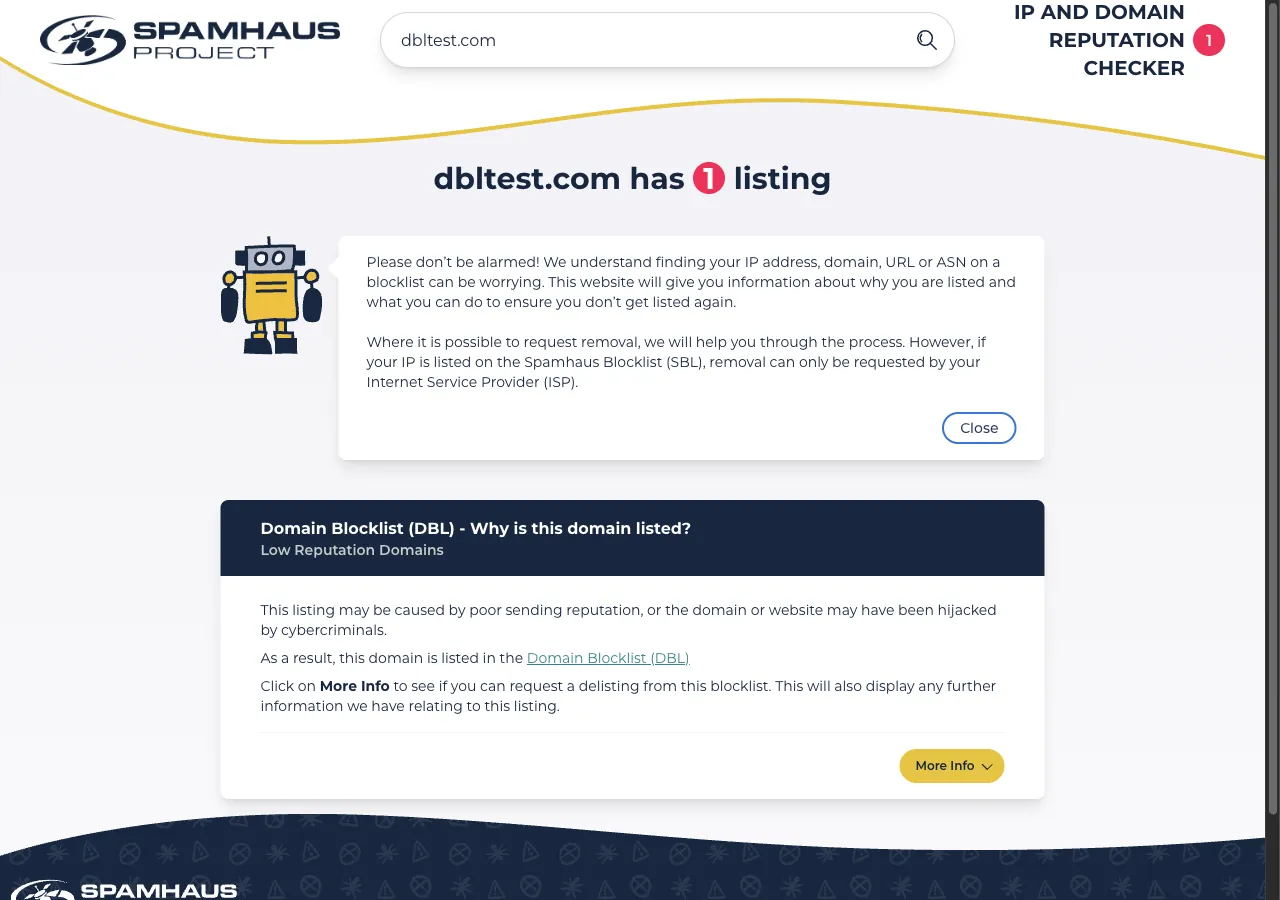
 Spamhaus IP and Domain Reputation Checker (check.spamhaus.org). Enter your domain. A clean domain shows "has no issues", and a listed domain shows "has 1 listing" or more.
 VirusTotal. Scan the URL and look for a Spamhaus row. The same scan shows whether other engines flag you too.
- User reports. Ask the people who cannot reach you for the bounce message of the rejected mail or a screenshot of the block.
Asking Spamhaus to fix it
Look up your domain
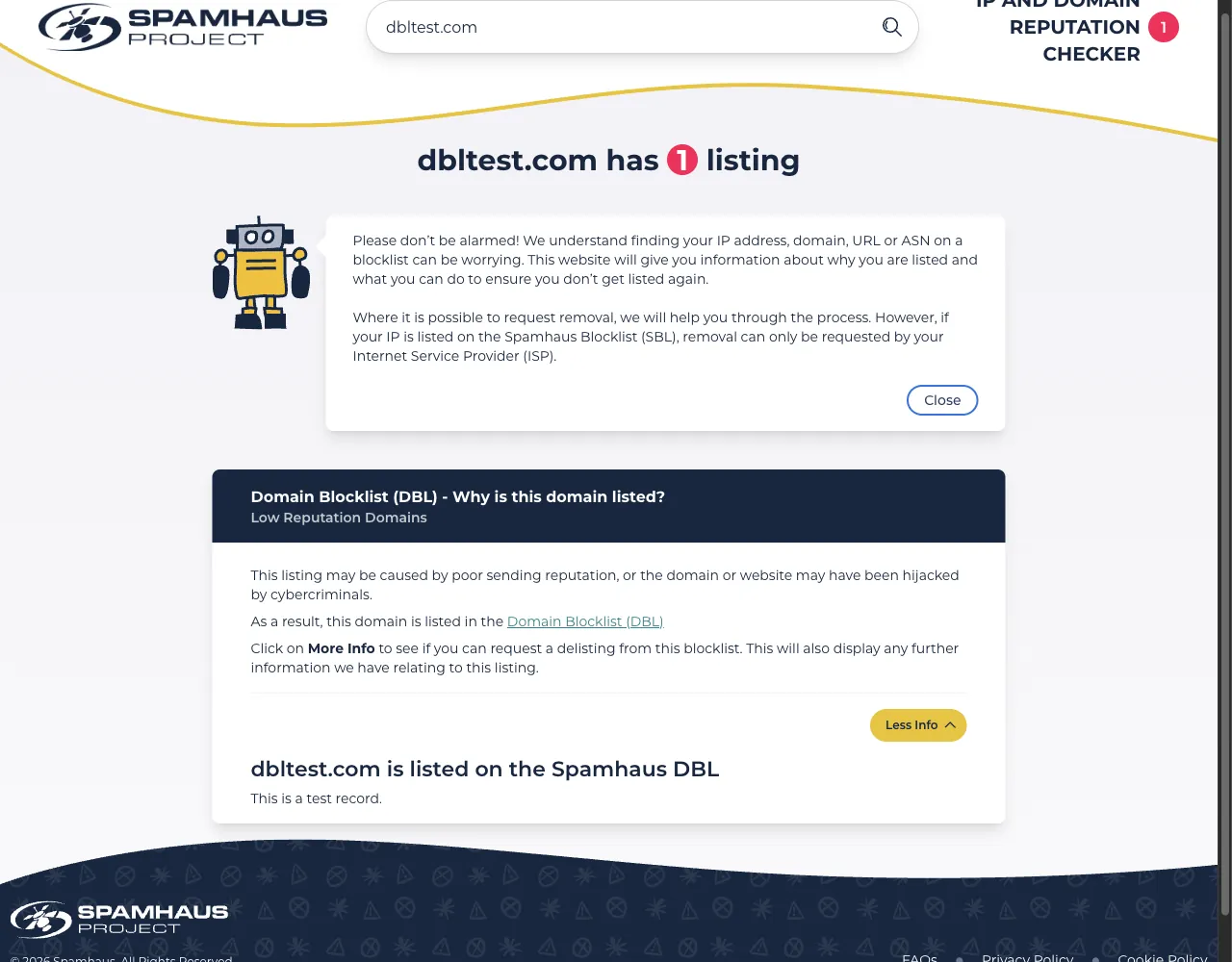
Open the Reputation Checker and enter your domain in the search field. The field also takes an IP address, an ASN, an SBL number, an email address or a hash, and it needs no sign-in. A short security check by Cloudflare can appear first. A clean domain shows "example.com has no issues". A listed domain shows a line such as "dbltest.com has 1 listing", which is Spamhaus's own test domain, with one box for each listing.
Read why you are listed and fix it
Each listing box is titled "Why is this domain listed?" and names the reason. For the DBL the example reason is "Low Reputation Domains", and Spamhaus writes that the listing "may be caused by poor sending reputation, or the domain or website may have been hijacked by cybercriminals." Clean the site first. Spamhaus's FAQ advises owners of compromised sites to take the site offline if possible, remove infected files, update the CMS and plugins, secure the server, change passwords and use two-factor authentication. A request sent before the cause is gone leads to a new listing.
Open More Info and request the delisting
Click More Info in the listing box. Spamhaus says this shows whether you can request a delisting from that blocklist, and any further information it holds on the listing. Where removal is possible, the checker shows the delisting option there. We could not open the delisting form, because the test record of dbltest.com has none, so we cannot describe its fields or say whether it needs an account or a company email. When the form asks for an explanation, say what the site is, who owns it, what caused the listing and what you fixed. Removal is free, and Spamhaus calls any offer to remove a listing for a fee a scam. An IP address listed on the Spamhaus Blocklist (SBL) can be removed only through its Internet Service Provider (ISP), so ask your ISP in that case. Spamhaus also says the form does not guarantee removal and that excessive or abusive requests can be blocked.
Domain on the Domain Blocklist

Explanation:  example[.]com is the website of our company,
              Example Ltd. We own the domain and run the site
              ourselves. The listing says the domain has a low
              reputation. We found injected code in the file
              hxxps://example[.]com/wp-content/old.php, removed
              it, updated the CMS and plugins, and changed all
              passwords. Please review the listing and remove it.
Wait and check the result
Some resolvers can take up to 24 hours to update after a removal. Look the domain up in the Reputation Checker again. If it is still listed after 24 hours, contact Spamhaus.
Other ways to report
Spamhaus explains its own rules for false positives on these pages: